And then, just like that, my coffee went cold. I was staring at a press release, trying to decipher the latest pronouncement from the cloud gods. “Azure Database for PostgreSQL Flexible Server now supports PostGIS!” they declared. Right. Because we all woke up this morning wondering if our favorite cloud provider had finally decided to catch up with a technology that’s been around since, what, the late 90s?
Look, I’ve been slogging through the Silicon Valley trenches for two decades. I’ve seen buzzwords bloom and wilt faster than a startup’s Series A funding. And ‘spatial computing’? It’s been lurking in the background, a perpetual ‘next big thing’ that never quite arrives with the fanfare it deserves. Until, maybe, now. Or at least, that’s what they’re hoping we’ll believe.
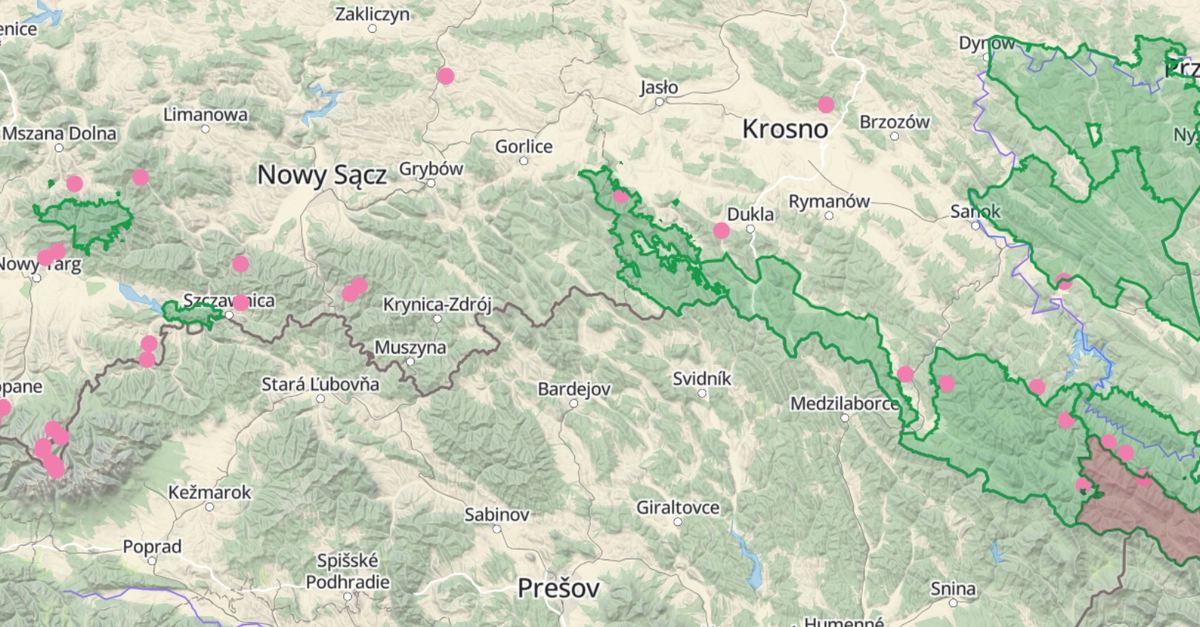
The folks behind something called Libelo, a park-discovery app (because apparently, we haven’t discovered enough parks yet), are singing the praises of this. Their whole business model seems to hinge on answering questions like: ‘Which parks are nearby?’ and ‘What’s the closest waterfall to where I’m currently standing?’ Sounds… quaint. But then again, every massive tech empire started with a quaint idea.
Their argument is simple, and frankly, it makes sense: doing these kinds of location-based calculations in your application code is fine for a hobby project. But when you’ve got data growing by the day, and you want to filter and sort based on location while you’re querying the database? That’s when you need the database itself to have some spatial smarts. Enter PostGIS.
PostGIS, for those blessedly unaware, is the veteran heavyweight in the spatial database ring. It injects PostgreSQL with the ability to handle geometric and geographic data, along with a frankly bewildering array of functions to slice and dice that data. Think ST_DWithin to find things within a certain radius (the spatial equivalent of ‘are you within spitting distance?’), ST_Distance to calculate just how far apart things are (useful for that all-important ‘closest’ metric), and ST_Contains to figure out if one geographical feature is inside another (is this viewpoint actually in this park?).
This isn’t new technology. What’s new is its official, first-class citizen status on Azure. Previously, you might have had to jump through hoops, fiddle with extensions, or perhaps use a less managed PostgreSQL instance. Now, it’s just a few clicks and a SQL command away. They claim it’s an ‘out-of-the-box’ experience on Azure Database for PostgreSQL Flexible Server. We’ll see.
The ‘Why Now?’ Question
The critical question here, as always, is who is actually making money from this? Microsoft, with Azure, wants developers to host their databases on their cloud. If you’re building an app that needs spatial queries – location-based services, mapping tools, logistics, even some advanced analytics – and you’re already on Azure or considering it, this makes your decision easier. It’s an enticement. A feature that, perhaps, you didn’t realize you desperately needed until it was presented as a readily available option.
The article highlights the importance of geography over geometry for global applications. This is no trivial detail. Geometry works on a flat plane, which is fine for your local neighborhood. Geography, on the other hand, understands that the Earth is a sphere (mostly) and performs calculations in meters. For an app like Libelo, or any global service, this distinction is crucial for accuracy. And yes, SRID 4326 – the WGS 84 coordinate system used by GPS – is the lingua franca here.
And let’s not forget the indexing. Without a GiST index, those spatial queries on massive datasets would grind to a halt, turning your milliseconds into eons. They’re making a point: PostGIS, when properly indexed, turns a full table scan into a lightning-fast operation. It’s the difference between waiting for the dial-up modem to connect and a fiber optic connection.
PostGIS adds native geometry and geography column types to PostgreSQL, along with several hundred spatial functions that operate on them.
So, how do you actually flick this switch? On Azure, it’s apparently a matter of finding the azure.extensions parameter in the portal, adding POSTGIS to the allowlist, and then running CREATE EXTENSION IF NOT EXISTS postgis; in your database. For the .NET crowd, integrating with Entity Framework Core and NetTopologySuite is also apparently straightforward. They even show example SQL queries – the kind you’ll be using to find parks within 10km of Amsterdam or the specific park containing a given coordinate.
It’s easy to dismiss this as just another feature update. But if you consider the burgeoning market for location-aware applications, from ride-sharing to delivery services to augmented reality games, the ability to perform these complex spatial queries efficiently within the database itself is a significant development. It abstracts away a layer of complexity, allowing developers to focus on the user experience rather than the geospatial plumbing.
Will This Replace Your Job?
For developers who aren’t already deep into spatial data, this might seem like an added complexity. But the truth is, the demand for location-aware features is only going to grow. Having PostGIS readily available on Azure means more developers can dabble in, and eventually master, building these kinds of applications without needing a dedicated GIS expert on staff. It democratizes spatial data handling, which is a good thing. It doesn’t replace jobs; it potentially creates new ones or evolves existing ones.
My unique insight here? This isn’t just about PostGIS on Azure. This is about the slow, steady convergence of specialized data handling capabilities into mainstream cloud platforms. We’re moving beyond just storing rows and columns to storing and intelligently querying complex data types. It’s a natural evolution, and it’s about time the cloud caught up with the power of open-source extensions like PostGIS.
So, is it a spatial game-changer? For developers already in that niche, it’s a welcome consolidation. For the rest of us? It’s another tool in the box, a very powerful one, that might just inspire us to build things we hadn’t considered before. And who knows, maybe we’ll all discover a new park or two.
**
🧬 Related Insights
- Read more: Hacked Copilot Into a Savage Senior Architect: The April Fools Prank That Nails AI’s Polite Problem
- Read more: Odoo 18’s Multilingual Nightmare, Fixed with Files, Git, and a Dash of GPT-5.4 Skepticism
Frequently Asked Questions**
What does PostGIS do?
PostGIS is a spatial database extender for PostgreSQL that allows you to store and query geographic objects. It adds native geometry and geography column types and hundreds of spatial functions.
How do I enable PostGIS on Azure Database for PostgreSQL?
You need to allowlist POSTGIS in the azure.extensions server parameter in the Azure portal and then run CREATE EXTENSION IF NOT EXISTS postgis; in your database.
Is PostGIS difficult to use with .NET applications?
With libraries like NetTopologySuite and integration with Entity Framework Core, it can be managed efficiently, though it requires understanding spatial data concepts.